
You’re in! Let’s build your run of show.
Check out this video to jumpstart your Shoflo (now powered by LASSO) free trial and learn how to build your first rundown fast. Plus, don’t miss the pro tips below — they’ll help you make the most of your trial, from real-time team collaboration to customizing Rundowns and using Prompter to keep your talent on script and your show running smoothly.
Rundown & Prompter Features You Can’t Miss

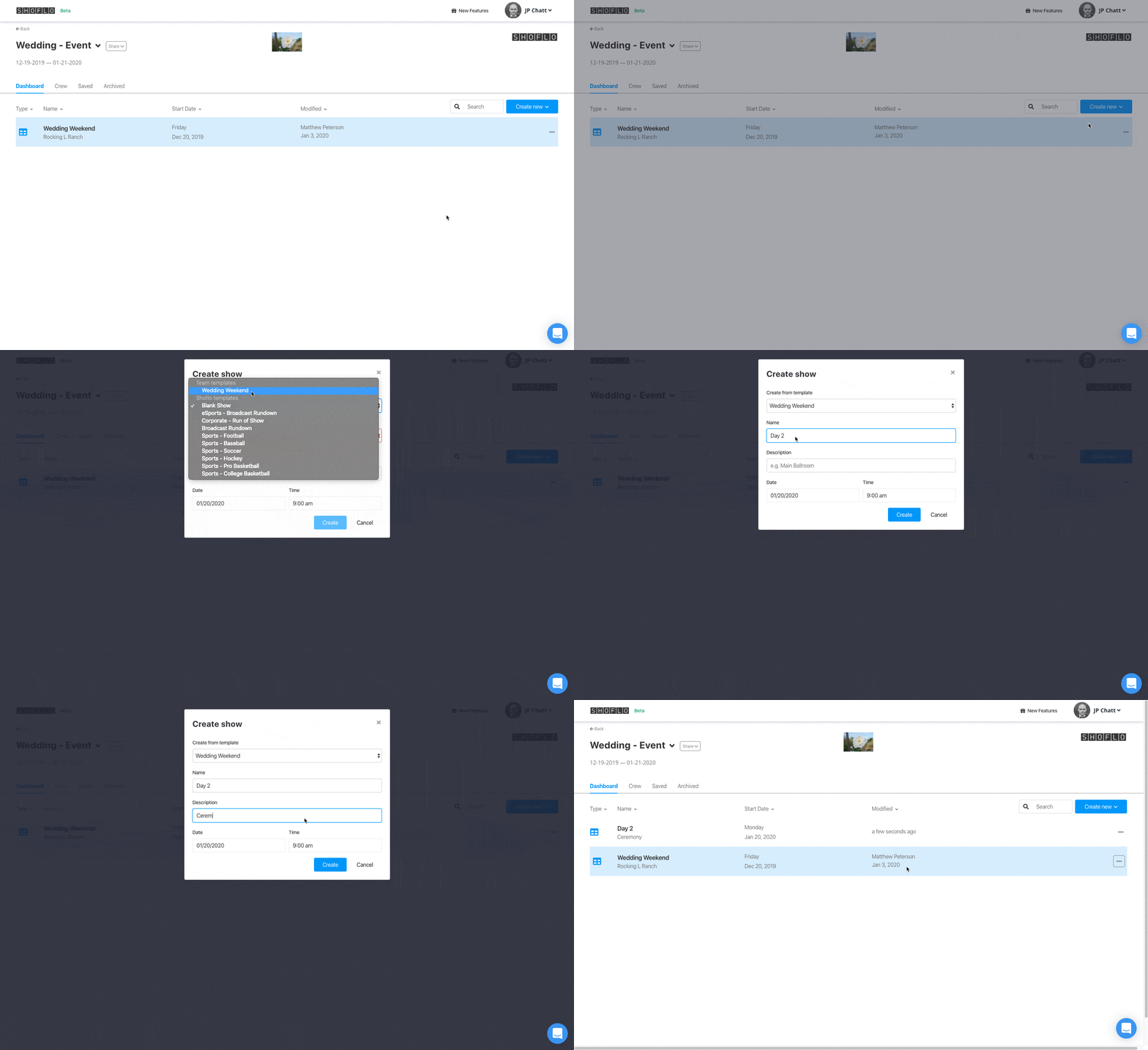
Save time with Templates.
Don’t start from scratch, use our pre-built templates.
Shoflo offers tailored templates to suit your needs, whether you’re working in Broadcast, Corporate Events, or Sports. Our built-in templates are just the beginning – you can customize your own, or replicate past Shows and/or Events to jumpstart your next project.
Collaborate with your team instantly.
Any changes made by any user are instantly updated on everyone’s screen, eliminating outdated versions. This real-time collaboration feature allows multiple users to work together seamlessly, without worrying about version control.
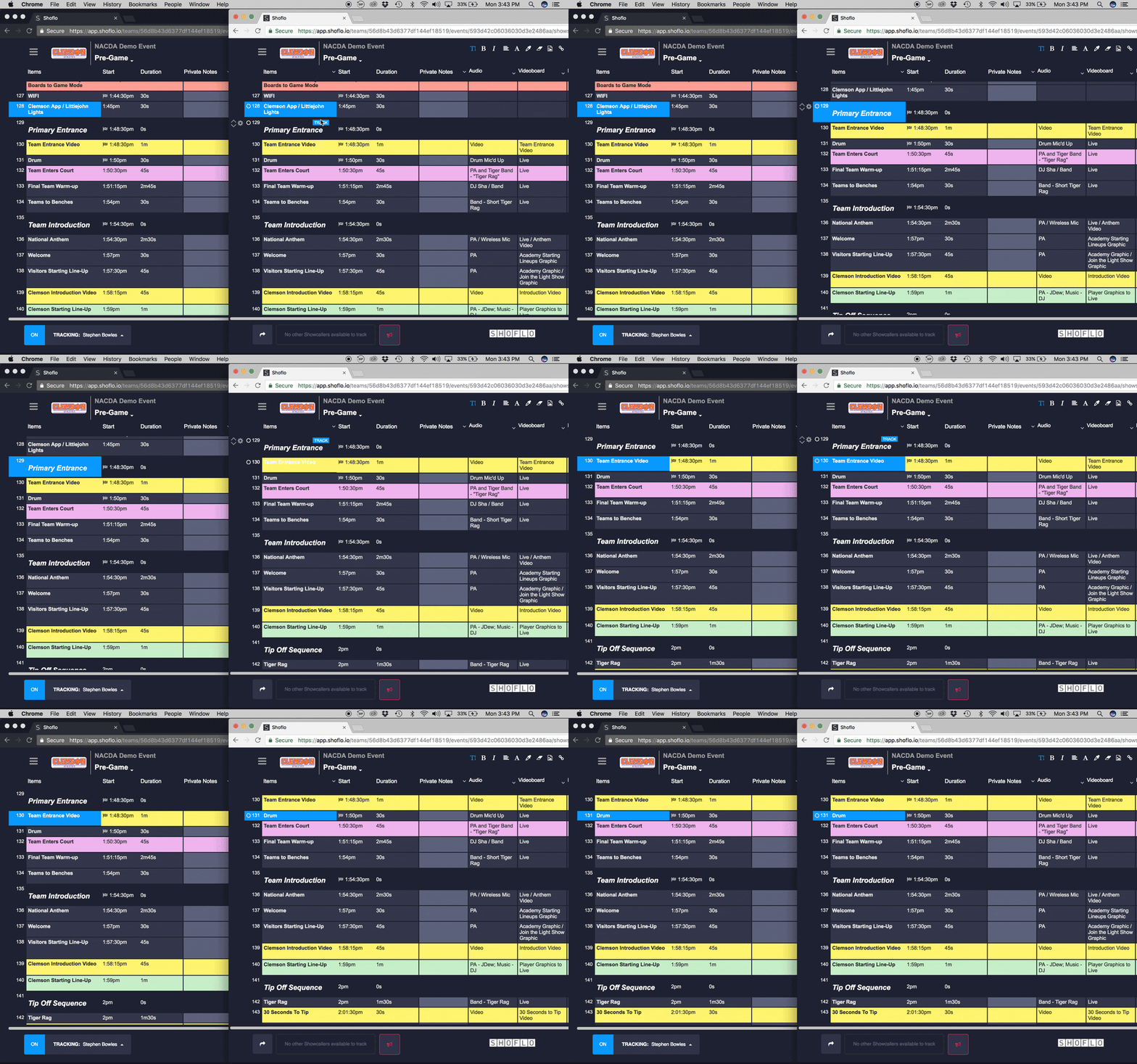
Track shows & stay on task at a glance.
When your showcaller advances the tracking bar on their screen, they also advance it for the crew following along with them. This means your crew can focus on their main task and know that anytime they glance over at Rundown they will be seeing the current element.
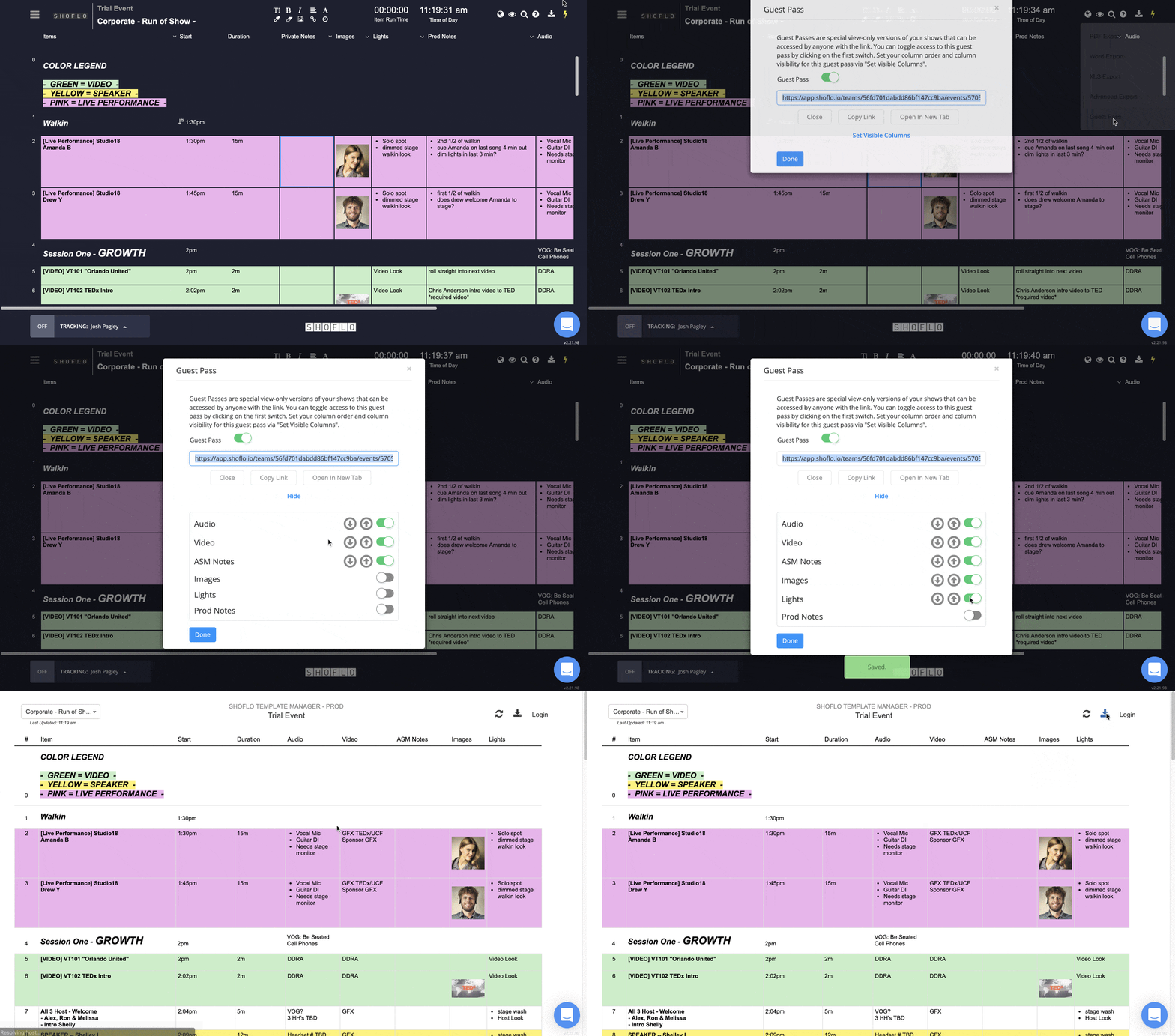
Share your rundown with Guest Pass.
Don’t just export a snapshot, share the active rundown! Guest Pass is the best way to share content with non-users. It allows them to see the latest content and even lets them create their own PDF export.
This means you no longer need to wonder if someone has the latest version—thanks to Guest Pass, they can always get it themselves. That frees you up to focus on what really matters.
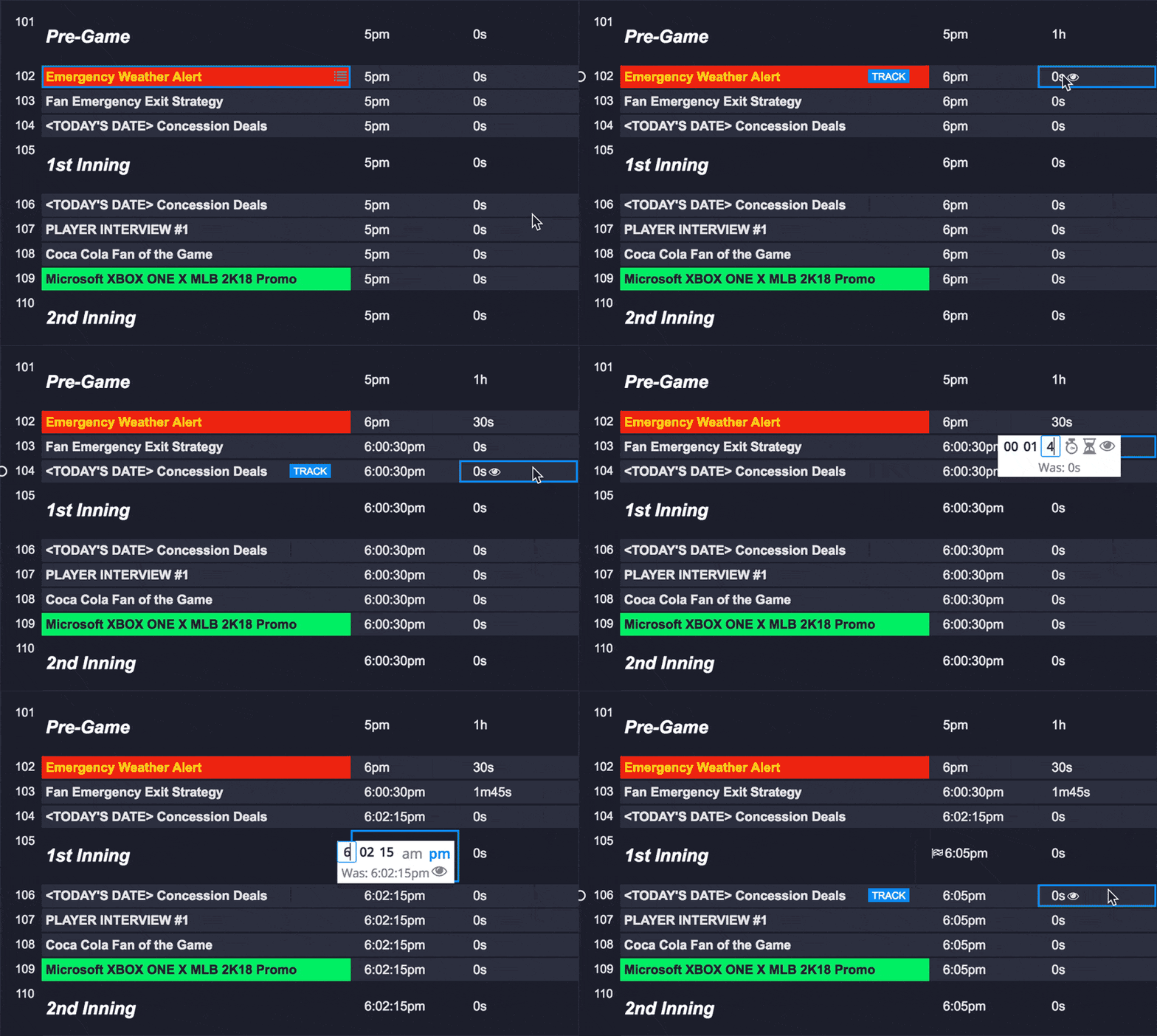
Calculate time automatically.
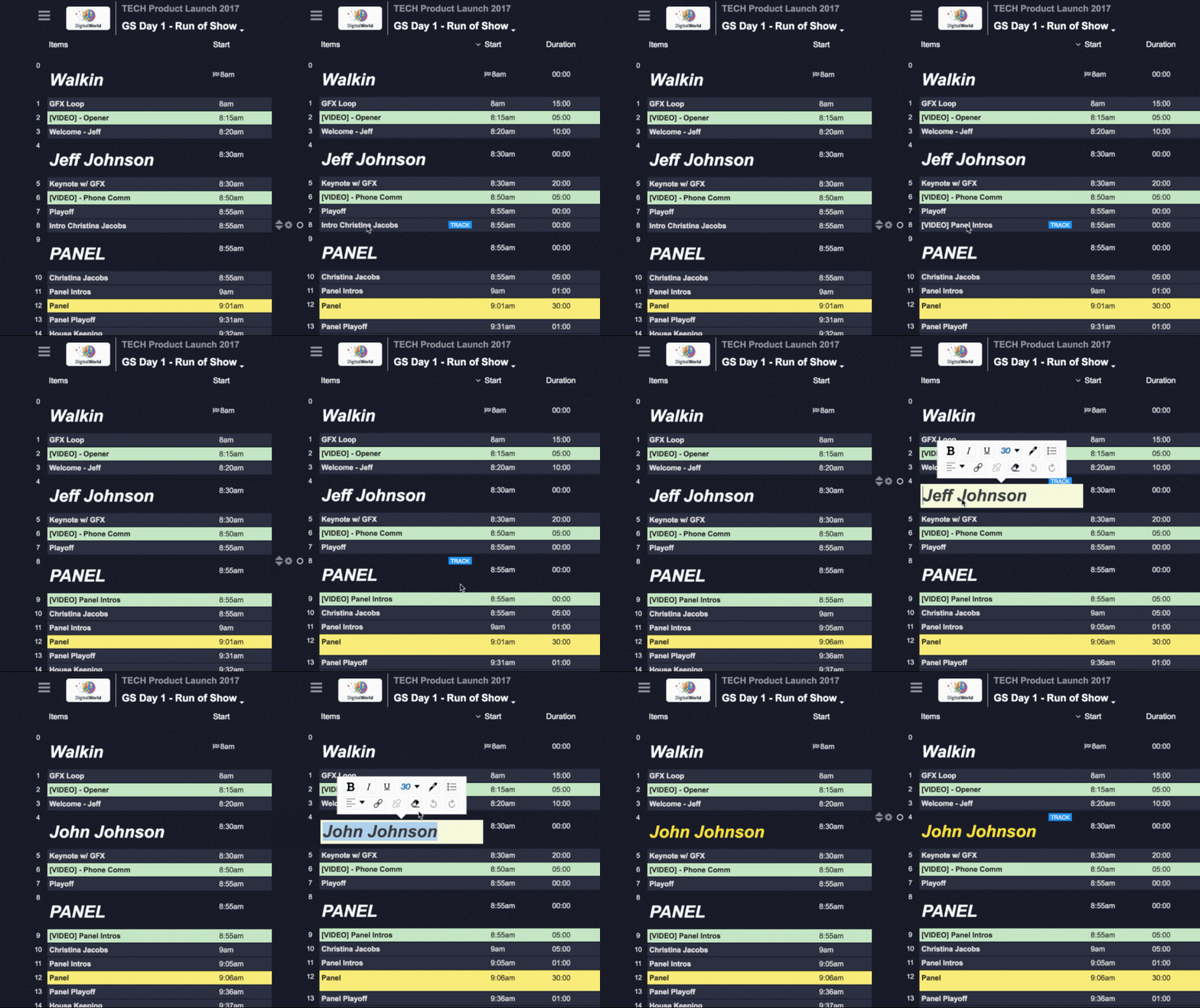
Shoflo automatically calculates the start times of your elements based on the durations and start times of the elements around it. Whether you’re moving your elements around or making changes to the durations, the system automatically updates all start times.
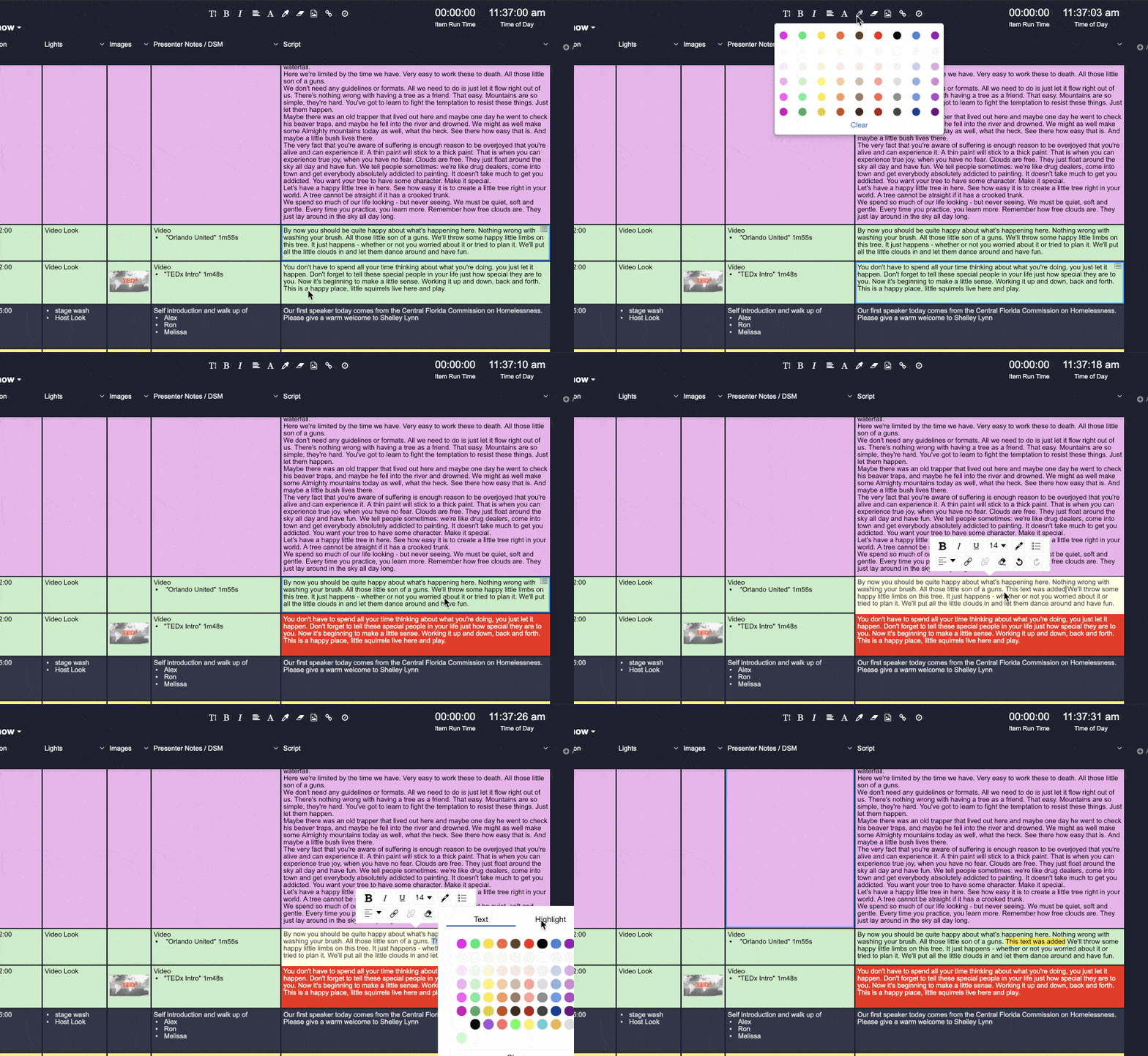
Rich text is the best text.
We know it can be difficult to read complex rundowns. Make it easier for your team by leveraging colorful formatting to bring extra attention to certain parts of your script, or to clearly identify certain types of elements e.g. green video elements and pink live performances.

Leverage Global Elements Manager.
Manage shared segments—like intros, sponsor reads, speaker bios, and transitions—from one central hub. Create them once, drop them into any rundown, and update them everywhere with a single edit.
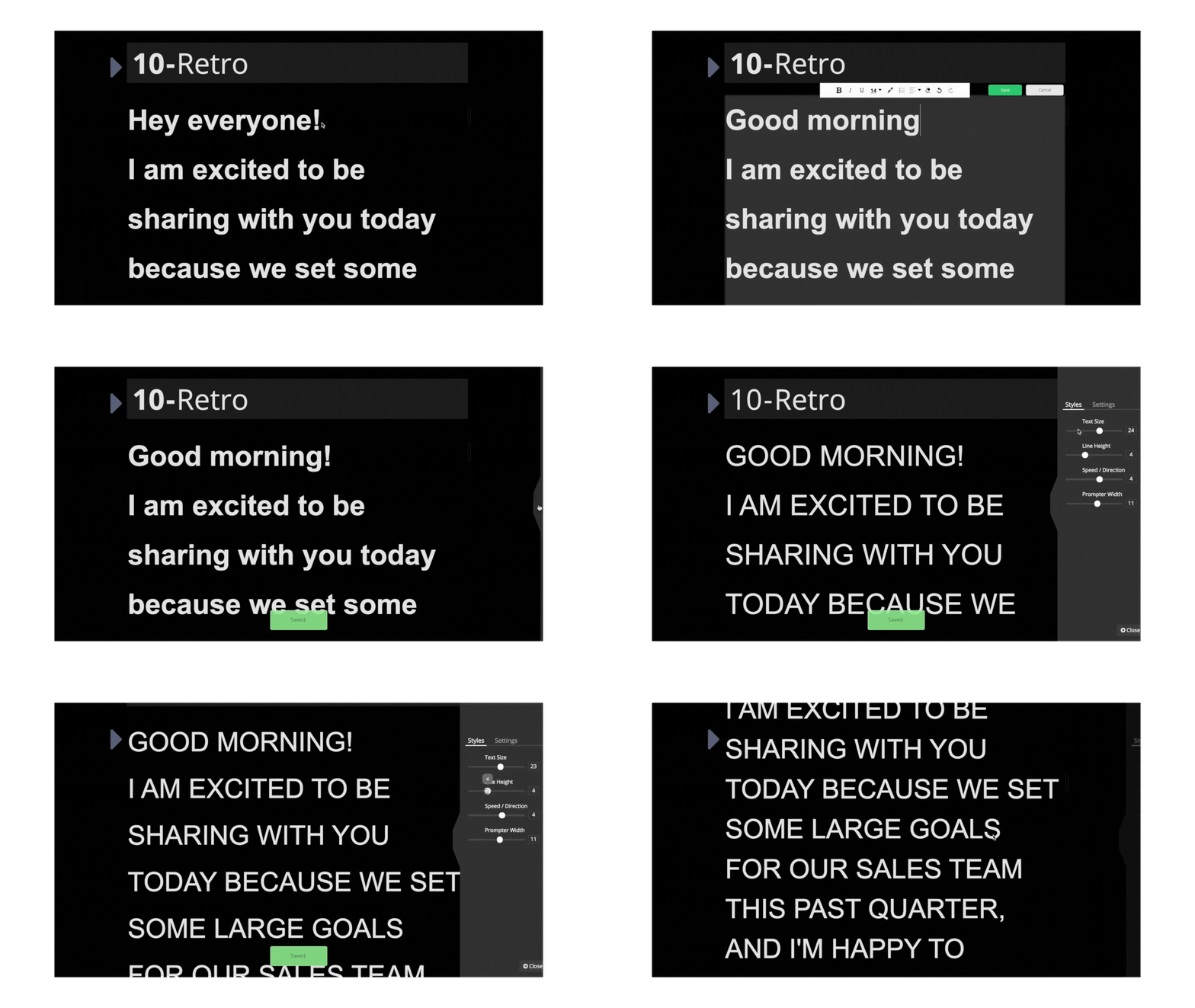
Access our integrated Prompter tool—straight from your Rundown.
No matter what type of prompter you’re using—whether it’s a DSM, a traditional teleprompter, or a remote monitor via our Remote Prompter Link—Shoflo’s Prompter View is tailored to meet your needs. It not only provides a seamless teleprompting experience, but also integrates and syncs effortlessly with your rundown.
Any adjustments made to your show order are automatically reflected in Prompter View.
Ready to upgrade your account?
Keep your show flowing. Upgrade your account today and access everything that Rundown and Prompter have to offer.