

Invoices
Bill for What Actually Happened
Close out the show then close out the books.
Your quote was written weeks before load-in. Then crew went into overtime, gear got swapped, and the customer added two rooms on show day. LASSO Invoices builds your invoice from the real numbers, keeps the same invoice number through every revision, and sends it with a payment link attached. Reconciliation closes without dragging into next month.


LASSO Intelligence
Ask LASSO Intelligence Where Your Cash Is Sitting
Your invoices, events, and payments live in the same platform, so you can ask about them in plain language instead of building a report.
Meet LASSO Intelligence →
1
“Show me every unpaid invoice past Net 30.”
Get the aging list without exporting anything.
2
“Which events wrapped without an invoice going out?”
Catch revenue you earned and forgot to bill.
3
“Which invoices have been sent but never paid?”
See what’s stalled between sending and collecting.
How LASSO Invoices Closes Out A Show

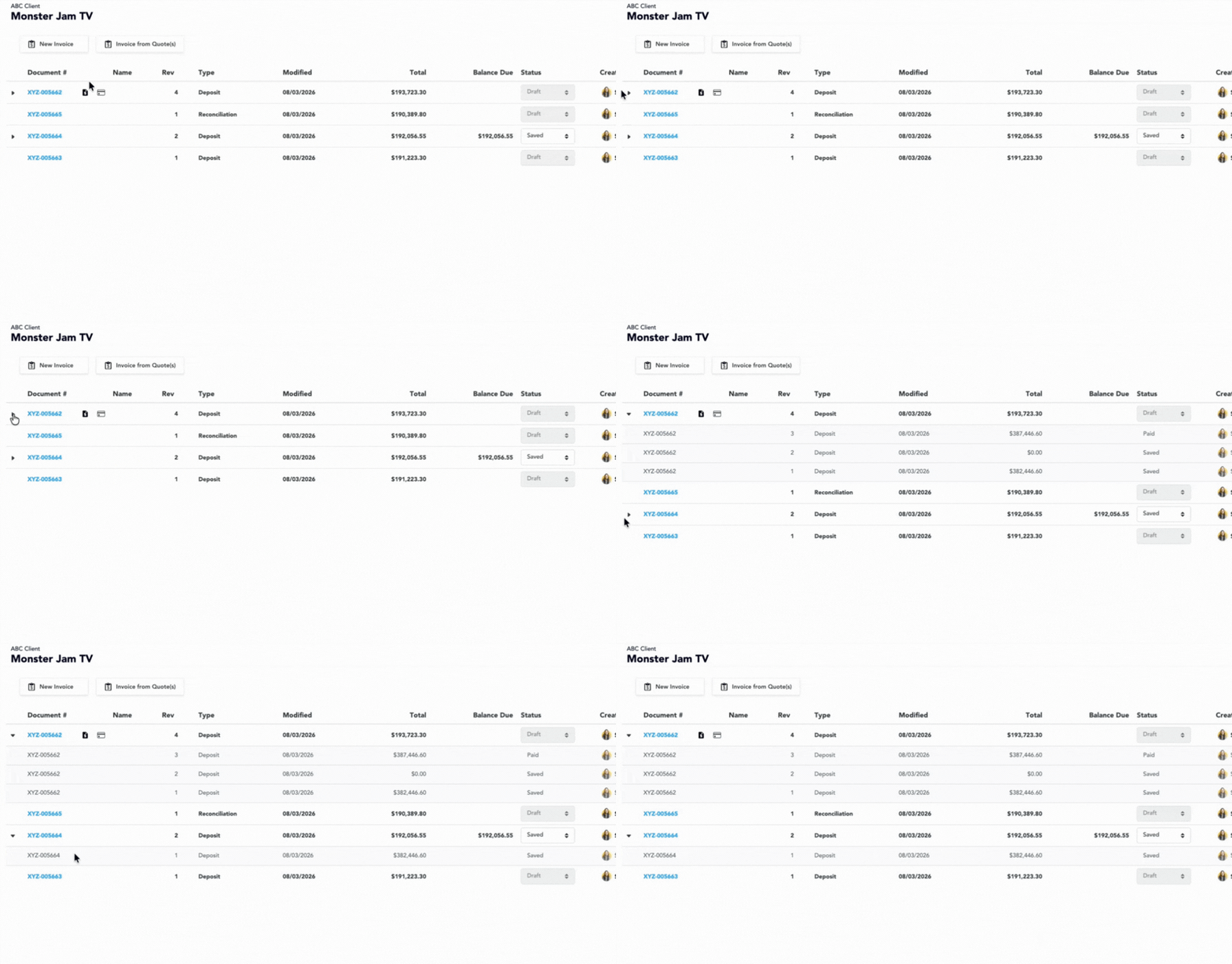
Revise Without Reissuing
Change a line, adjust a rate, or add a charge the customer approved after the fact. The invoice number doesn’t move. Your aging report stays clean, your customer’s AP contact isn’t reconciling two documents, and you keep one audit trail from first draft to final payment.
Build The Template Once, Then Reuse It
Set up invoice templates by customer or event type, with your branding on the document. The next show that looks like this one starts from a layout you’ve already approved, so nobody’s rebuilding an invoice from scratch at 6 PM on a Friday.
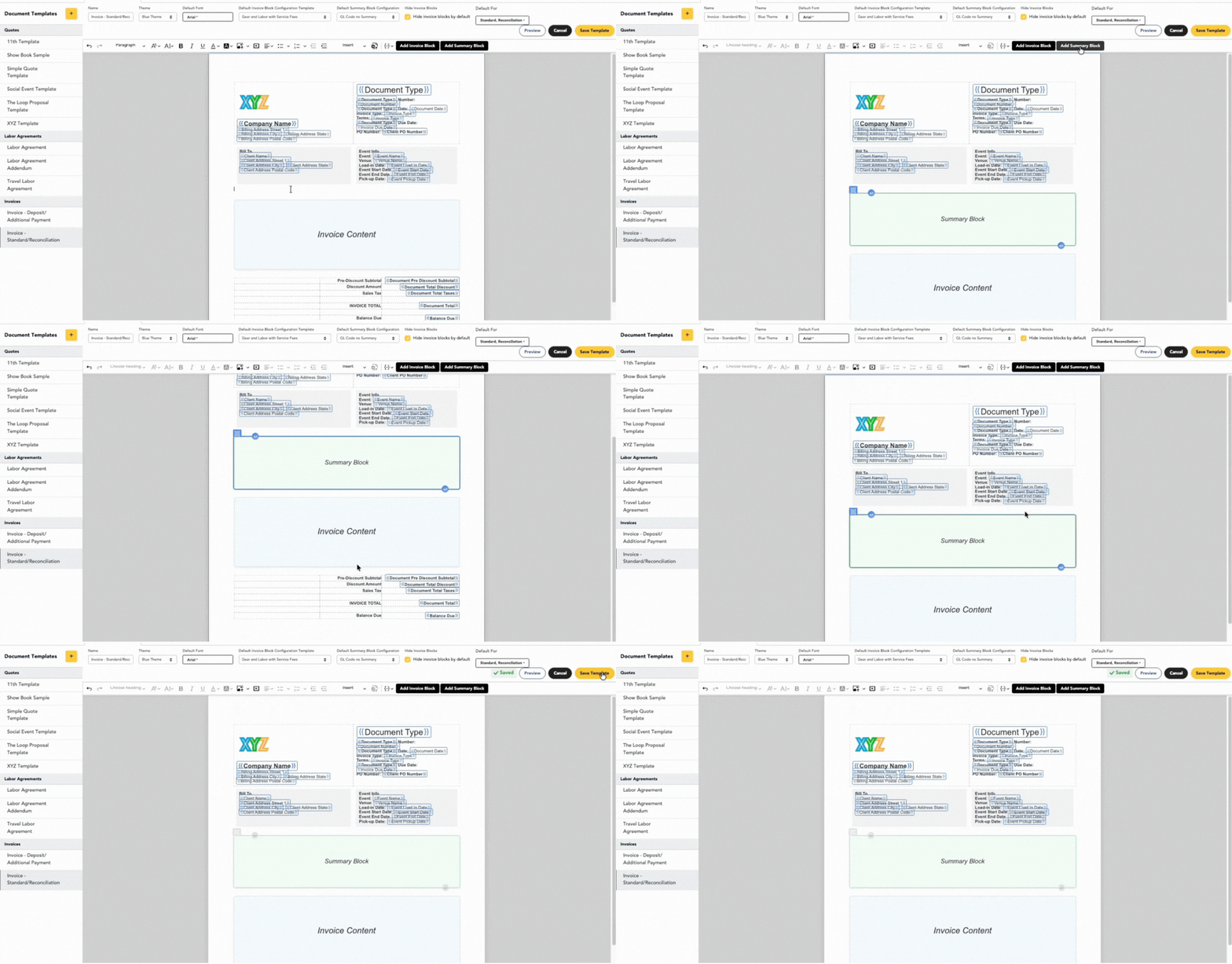
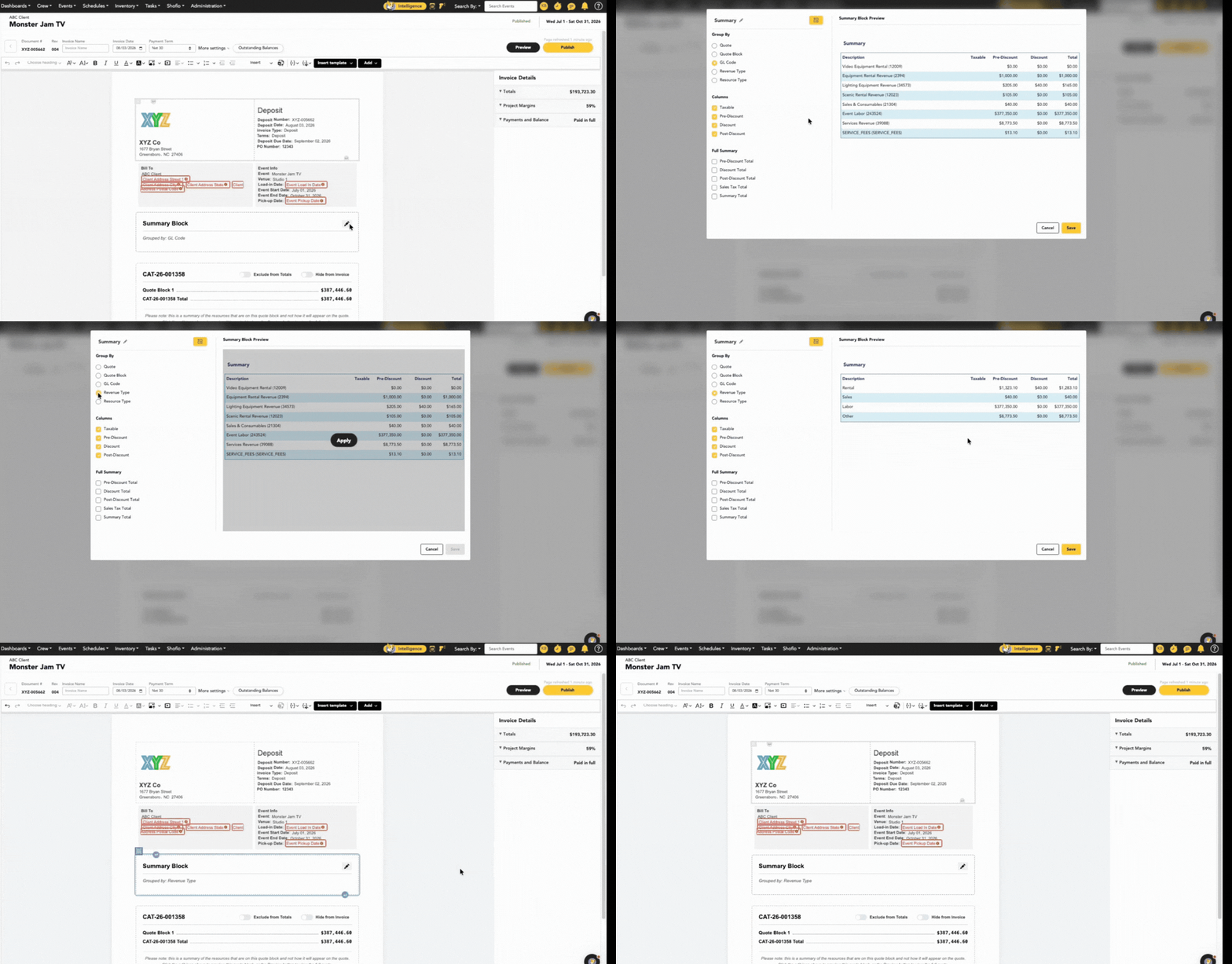
Organize The Invoice With Summary Blocks
Group charges into summary blocks so the customer sees the high-level details of the invoice before they see 200 line items. Labor here, gear there, travel and expenses below. Fewer questions come back when the structure does the explaining.
Show The Level Of Detail They Ask For
Choose how data displays on the invoice, and select which version of the Quote it bills against. Some customers want a single line for labor. Others want every crew member, every shift, and every rate. Give each one what they need without maintaining two versions of the truth.
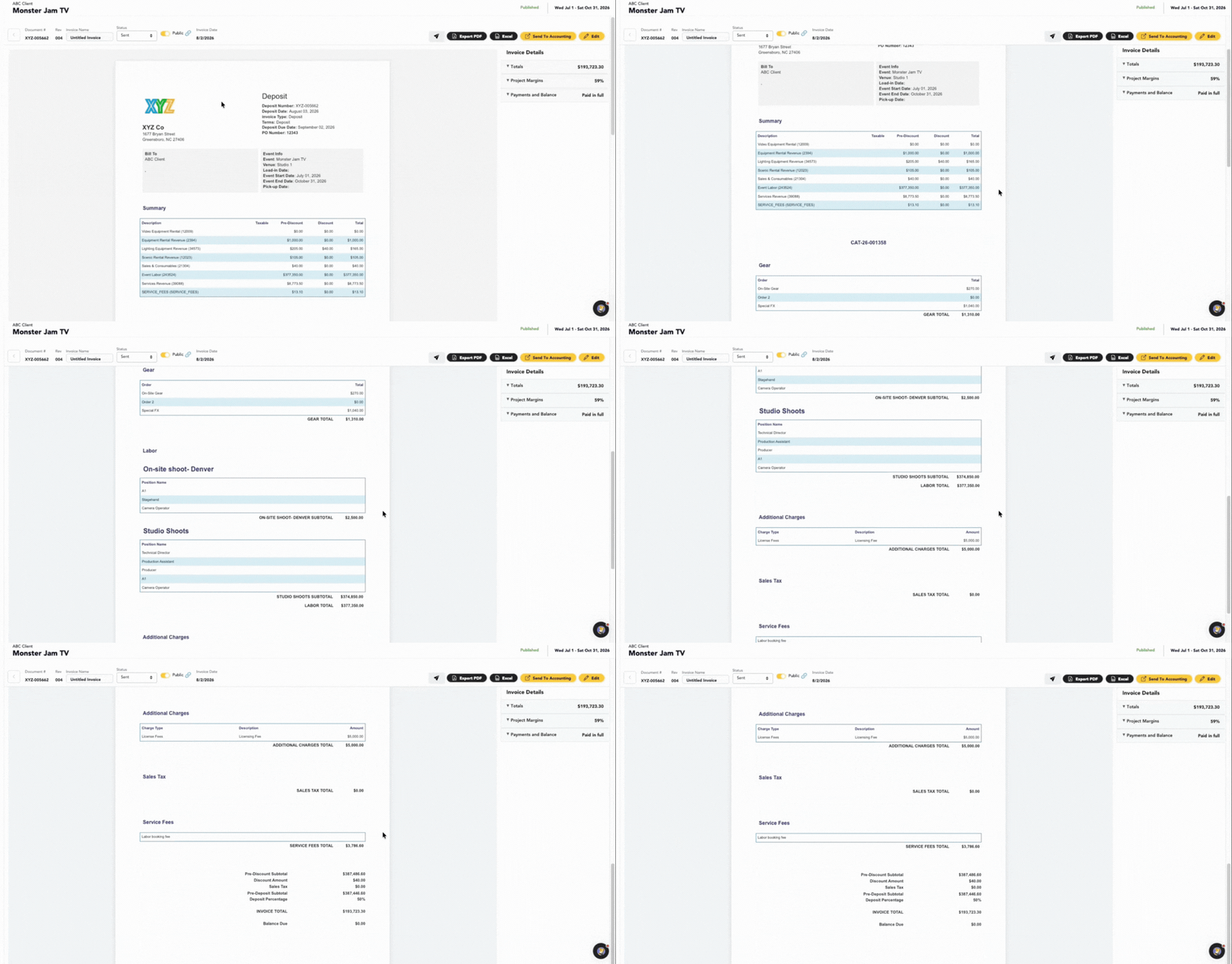
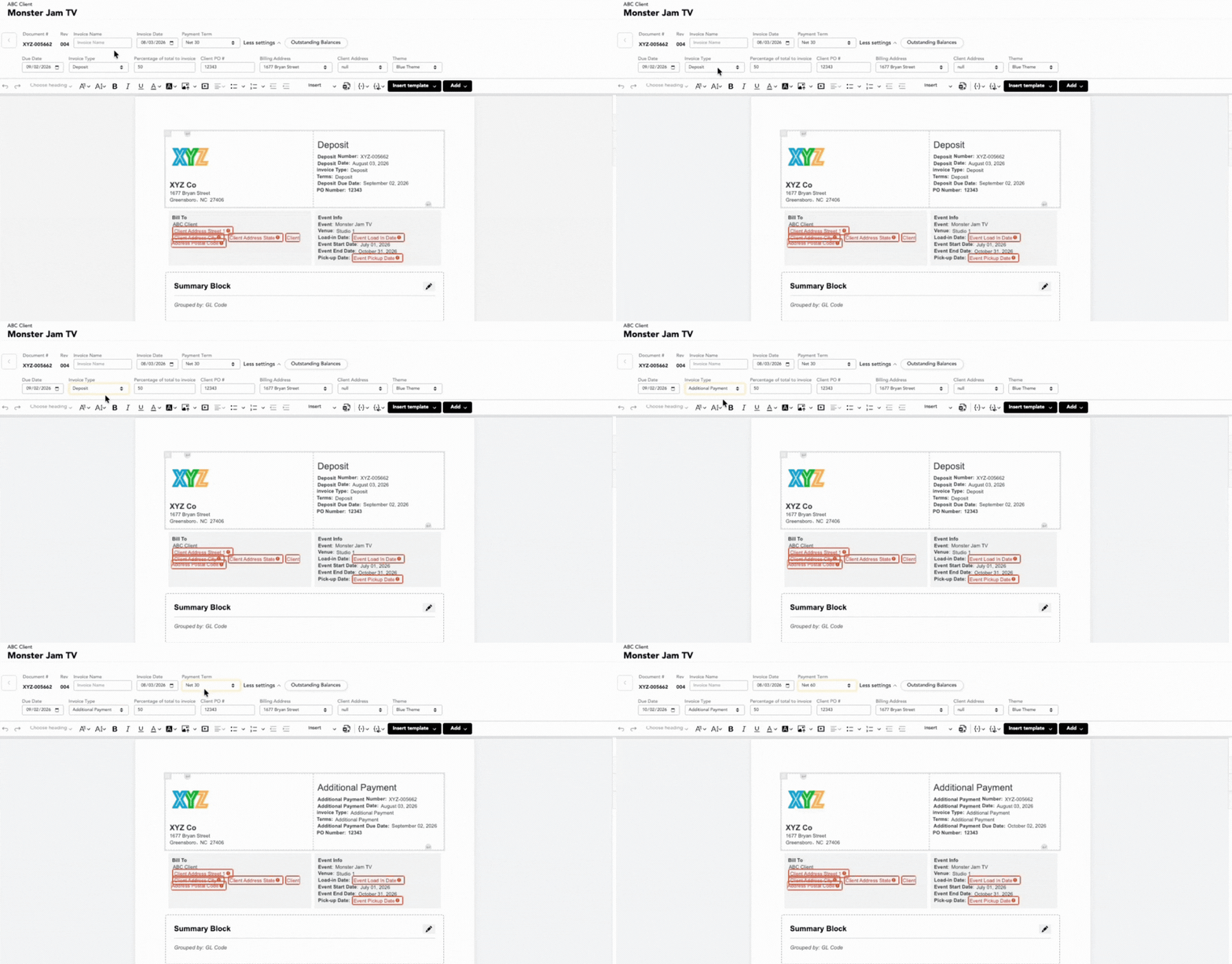
Invoice For Deposits, Reconciliations & Everything Between
Send a deposit invoice before the truck loads, a reconciliation after load-out, and additional invoices for anything that came up in between. Set payment terms from immediate through Net 60 based on what your accounts receivable team needs.
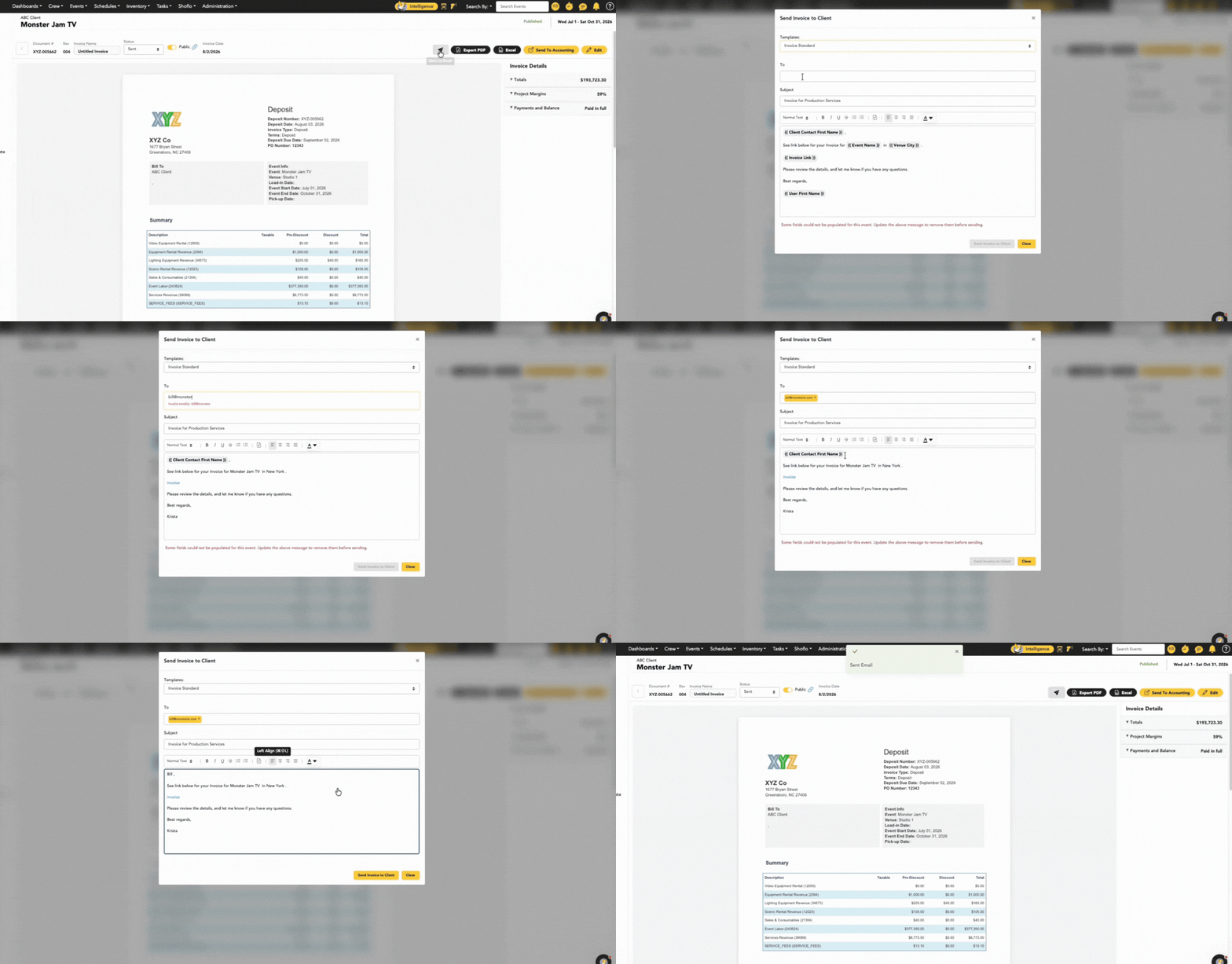
Send It And Collect Payment From LASSO
Email the invoice from LASSO with the PDF attached and a LASSO Payments link inside. Your customer pays from the email — no forwarding to AP, no asking how you take payment, no waiting on a follow-up from you. Checks and outside payments get recorded in LASSO too, so nothing lives in a separate spreadsheet.
Why LASSO?
Accounting software records what you tell it. LASSO already knows what happened on site.

One Invoice Number, Start To Finish
Revise in place instead of voiding and reissuing. One record, one number, one clean line in your aging report.

Built From Real Event Data
Crew hours, gear, travel, and add-ons come from the same platform your team ran the show in. Nothing gets re-typed, so nothing gets mistyped.
Sent And Paid In One Place
Email the invoice with a payment link attached, then track deposits, reconciliations, and outstanding balances without leaving LASSO.

Frequently Asked Questions
Invoice quickly & accurately.👇
Track and manage deposits, reconciliations, and additional payments—all in the same place you manage the rest of the event. Share this one pager with your team!