
LASSO Blog
For all articles, podcasts, and other updates, subscribe to our newsletter to get it all in one place.
Show Settings
Click on Events in the left navigation bar and then click the pencil edit icon to access show settings.
PDF, XLS, and CSV Export
Creating events is done by an admin on your team account. Event quantities are limited according to your team’s plan.
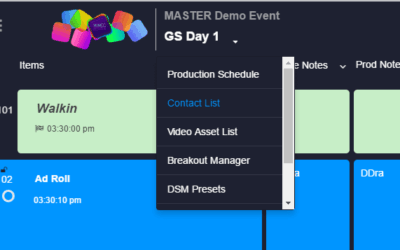
Switching Between Shows
Switching between shows is easy. Simply click the drop down from the top left of the cue sheet and select from your other shows
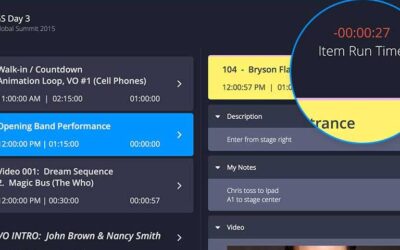
Cue Timing
Cue timing is key to successfully running an event. Shoflo give you a variety of ways to manage time during your event so you never miss a cue!
Guest Pass
Guest pass is awesome feature that provides you with a read-only link to your cue sheet that you can share with any client or stakeholder
Shoflo Event Production Software – Left Side Navigation
With our Left Side Navigation you can access all your account, team, event, show and crew settings without ever having to hit the back button!
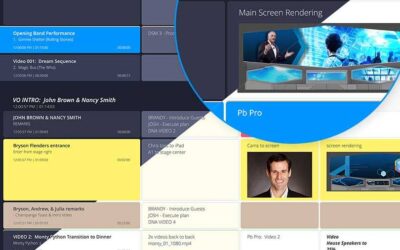
Changing Between Light and Dark Themes
Changing between light and dark themes allows your cue sheet to fit your environment. Bright for the office or dark for show site
ShowCaller Tracking
Never get lost in the cue sheet again. With show caller tracking, everyone can easily follow the show caller as they advance through the cues.
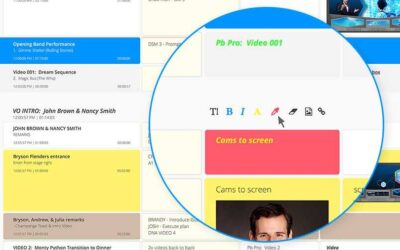
Font Formatting
hoflo offers a variety of font formatting options including size, style and color to make your elements pop.
Hide and Re-order Columns
One of the great benefits of shoflo is the ability to personalize the cue sheet to display only the information that is important to the role you are playing in the production.
Private Notes
Every shoflo user has a place to record personal notes which will only be seen by them.
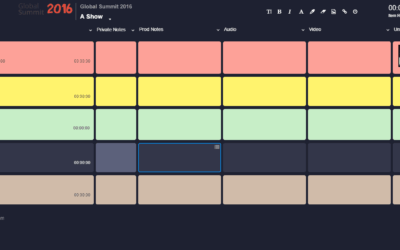
Row Highlighting
Highlighting a row is a great way to bring attention to a particular item or set of items.