
Global Elements Manager
Build once. Reuse everywhere.
Create a reusable library of show elements—then publish changes across multiple events and shows in seconds, with selective control when you need it.









Global Elements Manager: Unlocked

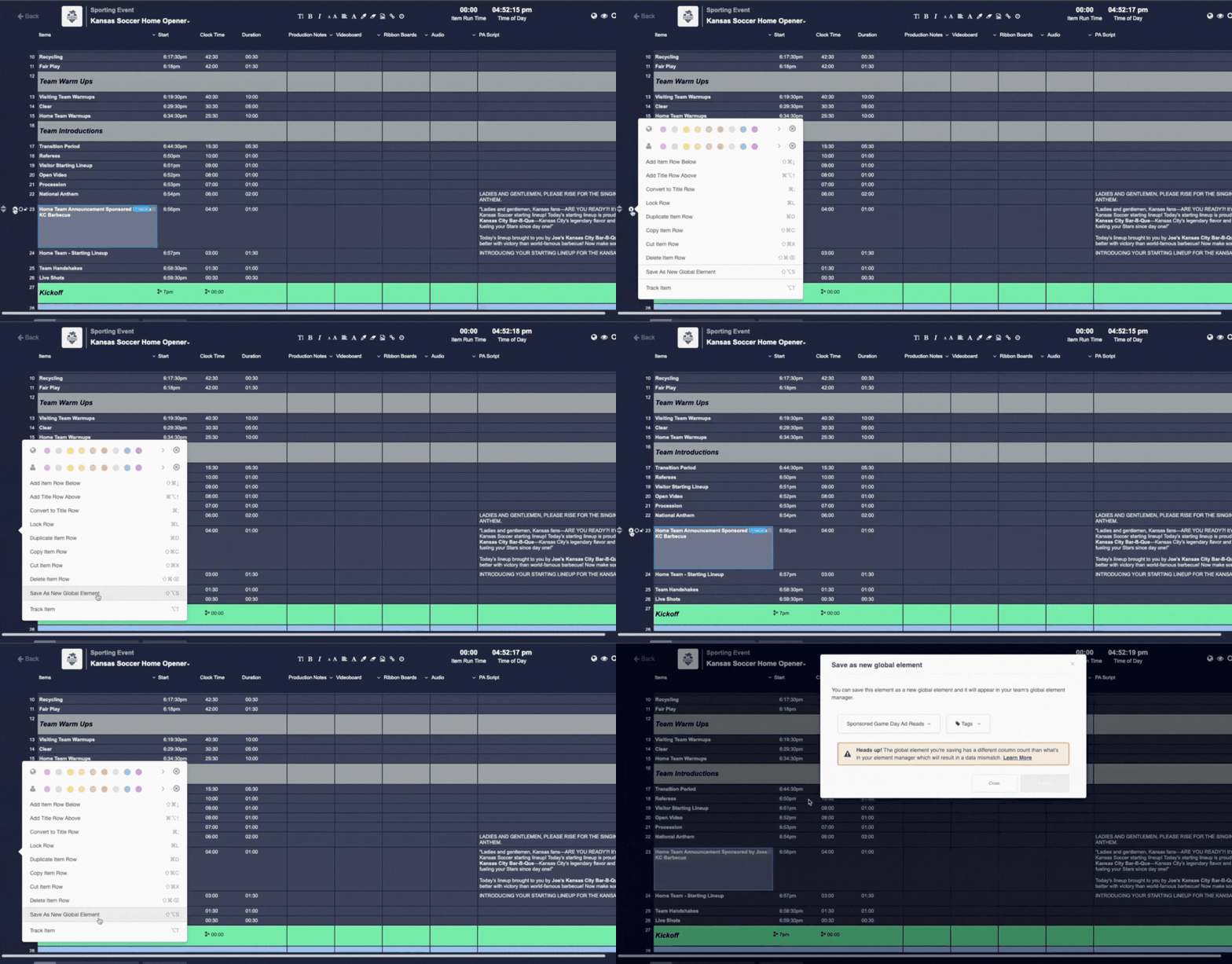
Create once, reuse across events.
Save any rundown item as a Global Element, then drop it into any active event or show. All child instances stay linked to the parent for effortless updates.
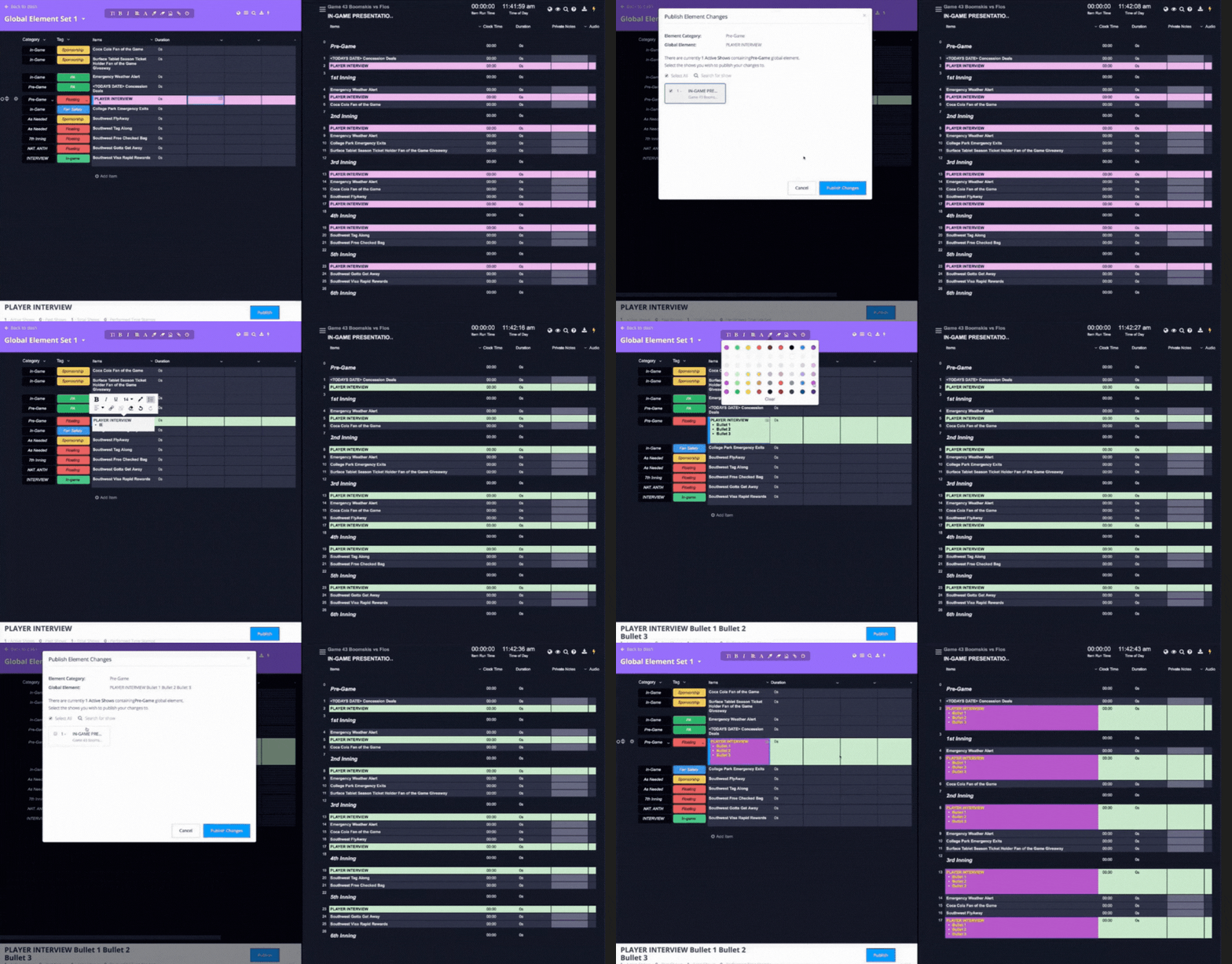
Real-time updates, selective publishing.
Publish changes the moment you’re ready—instantly to all shows, or choose specific shows only. Keep control when formats diverge.
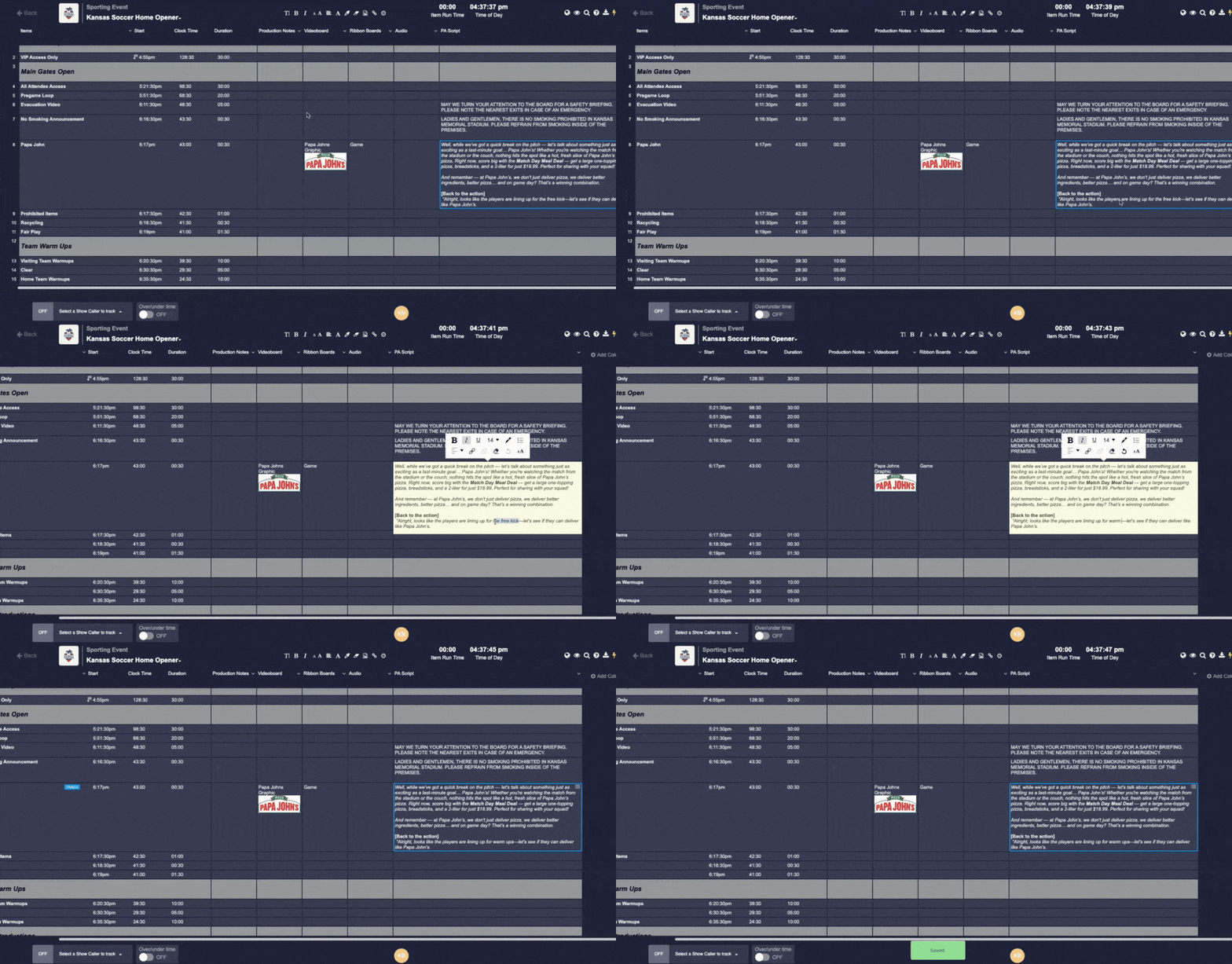
Make local edits without breaking the link.
Teams can tweak a linked Global Element inside a specific show while the parent remains the source of truth. When you publish, choose what flows downstream.
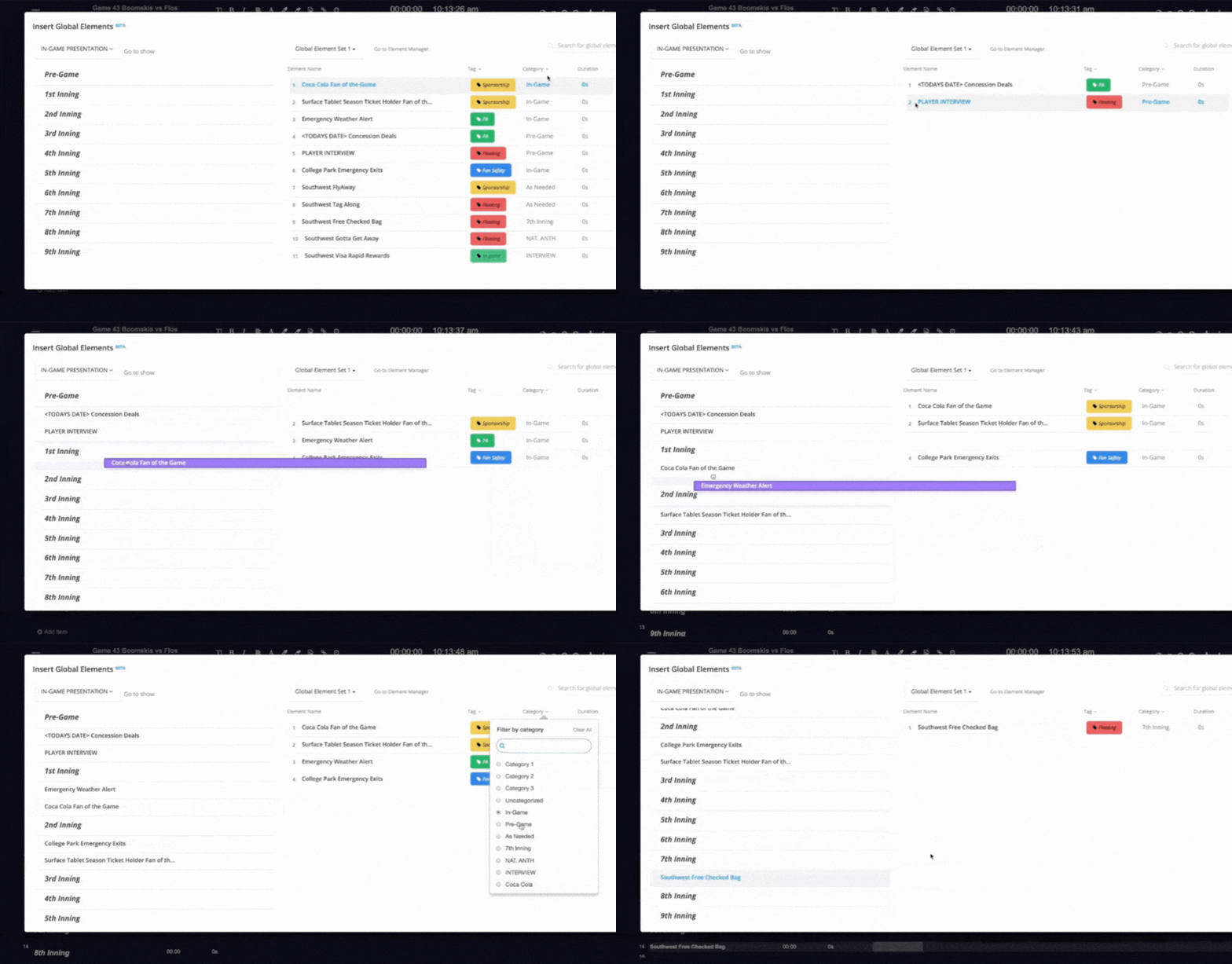
Insert in just a couple clicks.
From the Global Elements Manager—or directly inside any show—insert elements into any other show in the event. Navigate and retrieve changes on a per-element basis.
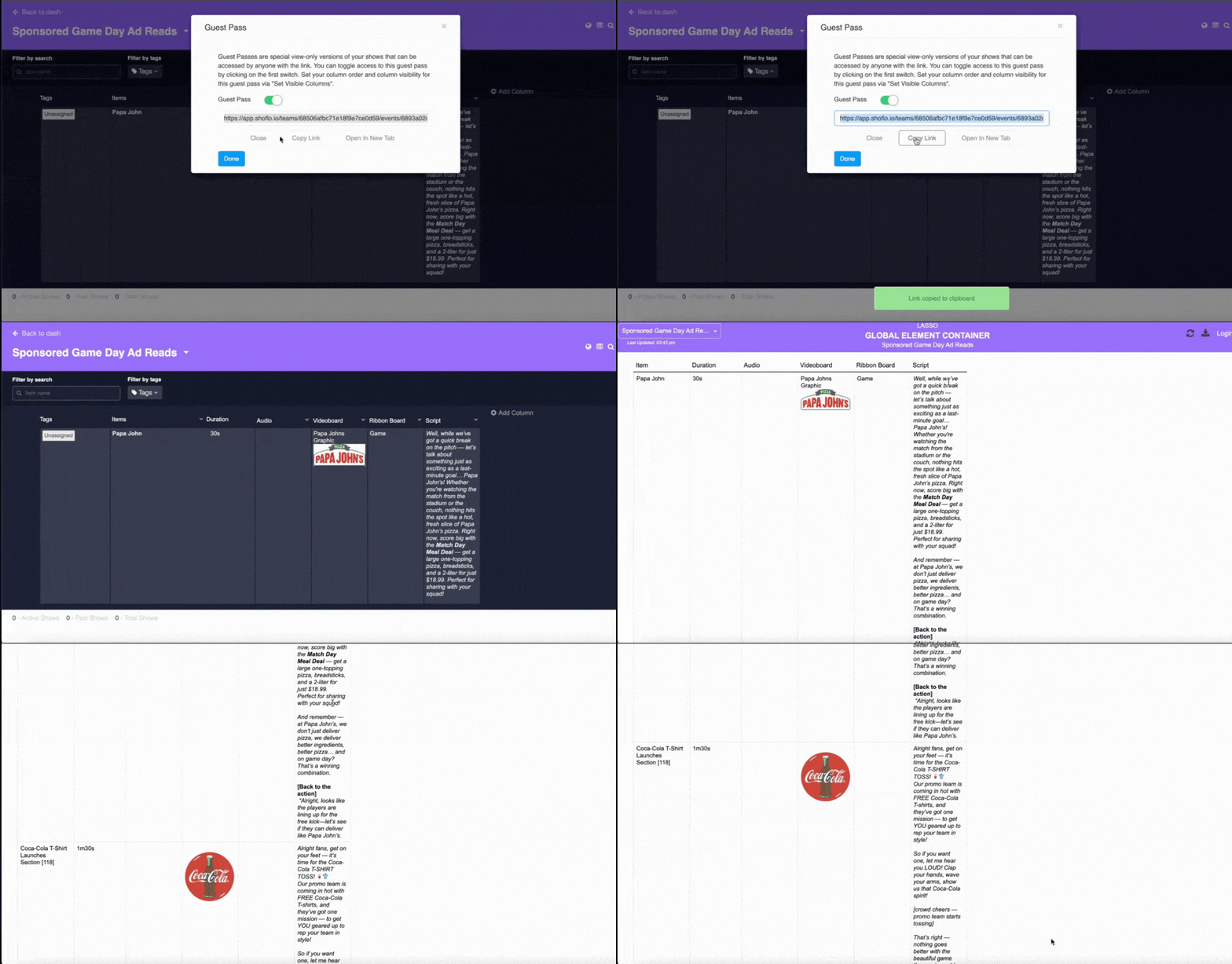
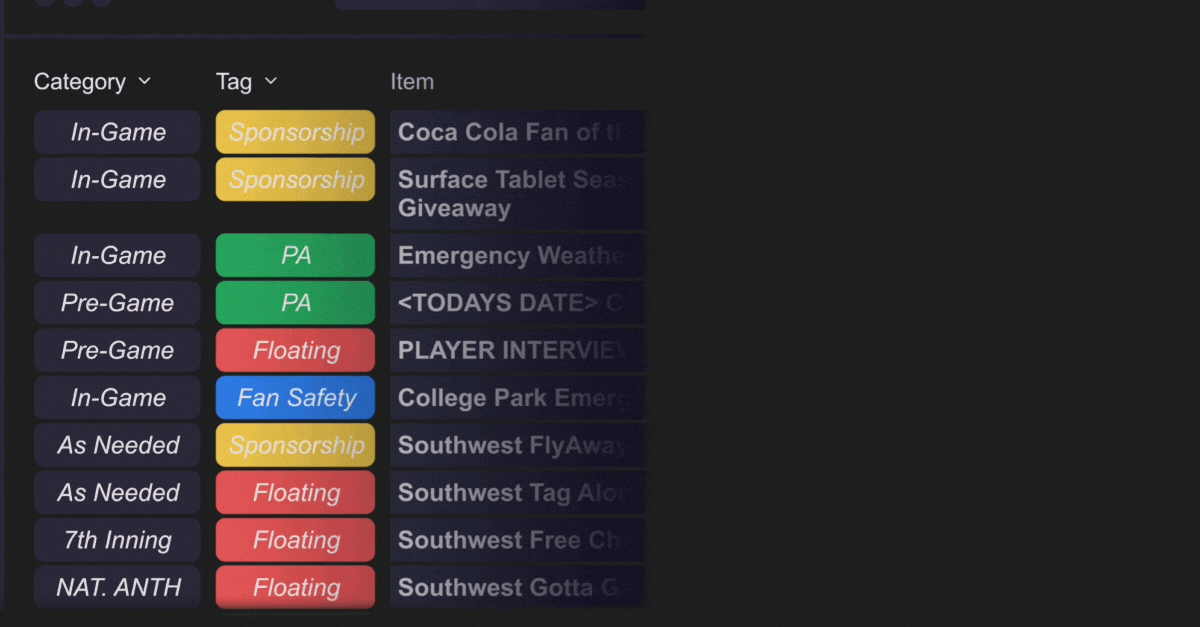
Organize your elements with unlimited categories and tags.
Instantly show when an element should run and what it’s for—whether it’s In-Game or As Needed, Sponsorship or Fan Safety. Filter your view to focus only on what matters in the moment, and know that every category and tag carries through to your CSV and XLS exports for seamless reporting.
Why Global Elements Manager?
Consistency, speed, and fewer last-minute edits. Teams using Global Elements build scripts faster by reusing the work they’ve already done—especially across seasons or recurring shows. Some game-presentation teams have created scripts “twice as fast” with GEM.


Standardize formatting.
Keep column structures, copy blocks, and cues consistent across shows so every producer sees the same, reliable layout. (Column order/quantity should match for seamless publishing.)

Reduce errors in live moments.
Publish updates in real time to every instance—or only where needed—so last-minute changes land exactly where they should.