
One event in one venue is hard enough. Three events across three cities on the same Saturday is a different category of operational problem — and most rental management software wasn’t designed to handle it. The gear list still works. The quoting still works. What breaks is everything that depends on the gear list and the quoting talking to each other across locations: crew assignments, time tracking, sub-rentals, payroll, and the running picture of what’s actually happening on the ground.
Multi-site event operations expose the gaps in rental management software faster than anything else. Here’s what to look for if your operation runs more than one show at a time, in more than one place.
What Multi-Site Operations Actually Need from Rental Management Software
The baseline features of rental management software — inventory tracking, order management, quoting, invoicing — are necessary but not sufficient when the operation runs across locations. Multi-site complexity adds a layer of coordination problems that single-venue operations never see:
- Gear moving between sites, sometimes mid-week, sometimes mid-day
- Crew working load-in at one venue and strike at another on the same shift
- Sub-rentals sourced from different vendors in different markets
- Time tracking across multiple job sites, sometimes across state lines
- Payroll that has to reconcile variable rates, overtime rules, and tax jurisdictions per location
- Compliance requirements that differ by venue, union local, and state
If your rental management software treats every event as if it were happening in isolation, every one of those coordination points becomes a manual job for someone on your team.
Real-Time Visibility Across Every Site
The single most important capability for multi-site operations is real-time visibility. Not a dashboard that refreshes overnight. Not a report your ops lead can pull on request. Live status on what’s happening at every venue, available to the people who need it, from wherever they are.
That means inventory status across all simultaneous events, not per-event in isolation. It means crew check-in and check-out visible from a central view, not buried in three different scheduling tools. It means the warehouse team in your home market can see what’s already on a truck heading to the venue in the next market over.
The test: at 2 PM on a Friday with three shows live, can your ops lead answer “what’s the status?” from one screen in under thirty seconds? If the answer requires calling three people or opening four tabs, the software isn’t built for the operation.
Crew Scheduling That Knows Where People Are
Multi-site operations live or die on crew logistics. The A1 who’s running the corporate event in Atlanta on Thursday can’t also be on the call for the festival in Nashville on Friday morning — unless someone built the travel time in. Rental management software that treats crew as a separate problem leaves that math to your scheduler’s memory and a shared spreadsheet.
What multi-site operations need is crew scheduling that’s aware of location, travel, certifications, and roles. The same system that books the gear should know who’s qualified to run it, where they are, and whether they can physically get to the next site in time. Travel coordination — flights, hotels, ground transport — should live in the same place as the schedule, so a last-minute change to a Friday call doesn’t require updating four tools.
Multi-Site Time Tracking Without the Reconciliation
One crew member working two venues in one day is a common scenario, and it’s where the seams in most rental management software start to show. Load-in at venue A in the morning. Strike at venue B that night. Different rate structures, different overtime calculations, sometimes different states.
If your team is reconciling timesheets across venues by hand at the end of the week — or worse, at the end of payroll — the software isn’t handling what it should. Multi-site time tracking should capture the work at the location it happened, apply the right rate automatically, and feed payroll without a reconciliation pass.
Look for geofenced clock-in that confirms crew is at the venue they were scheduled at, mobile-first time capture from the show site, and timesheet data that flows directly into payroll without an export-import step.
Sub-Rentals Across Markets
Multi-site operations sub-rent more, from more vendors, in more markets. The gear you need in Phoenix isn’t always the gear you can ship from your warehouse in Dallas. So the system has to handle vendor management at scale: tracking which sub-rental partners you use in which markets, capturing their costs at the order level, and pulling that data into the event’s profitability picture.
Without that, sub-rental costs become invisible until invoicing, and the margin on multi-site work — already thinner than single-venue work because of travel and logistics — gets thinner still.
Travel and Logistics That Don’t Live in a Different Tool
Multi-site operations move people as much as they move gear. A crew booked across three markets in a week needs flights, hotels, ground transport, and per diem handled — and most rental management software wasn’t built to handle any of it. The result is a separate travel booking process, a separate per diem reconciliation, and a separate itinerary distribution to crew. By the time the show starts, the right hand and the left hand aren’t on the same call sheet.
The right system for multi-site work treats travel as part of the event workflow, not a downstream coordination problem. Centralized booking, real-time visibility on changes, and itineraries that go directly to crew through the same app they use for the schedule.
Payroll and Compliance Across Jurisdictions
The complexity that multi-site operations introduce to payroll is hard to overstate. Overtime rules vary by state. Minimum wage varies by state and sometimes by city. Union rules vary by local. Per diem rules vary by venue. Tax withholding varies by where the work was performed, not where the company is based.
Rental management software that doesn’t connect to payroll leaves all of that on the finance team’s shoulders. The right system for multi-site operations either handles payroll natively or integrates with infrastructure built for it — including multi-state tax filings, jurisdiction-based calculations on labor and equipment, and the mixed W-2/1099 crew structure that defines event production.
Why Most Rental Management Software Stops at One Venue
The honest answer is that most rental management software in the event production category was built for the single-warehouse, single-market operation. The product made sense when the operation made sense — a regional AV or event rental company serving a regional market, with one set of crew, one tax jurisdiction, and one set of vendors.
As event production companies have scaled — into multi-market operations, traveling shows, national tours, and enterprise accounts running events across the country — the underlying software hasn’t always scaled with them. The result is rental management software that handles the gear well and forces everything else to live in a spreadsheet, a separate scheduling tool, a third-party payroll processor, and a finance person’s head.
Choosing Rental Management Software That Scales With Multi-Site Operations
If your operation is running more than one event at a time, in more than one place, the questions to ask of any rental management software change. Inventory tracking is still important. Quoting is still important. But the questions that matter more are:
- Can the system show me every site, live, from one view?
- Does crew scheduling know about location, travel, and roles per venue?
- Does time tracking capture multi-site work without reconciliation?
- Are sub-rentals tracked at the vendor and market level?
- Does payroll handle multi-state, multi-rate, and mixed crew types?
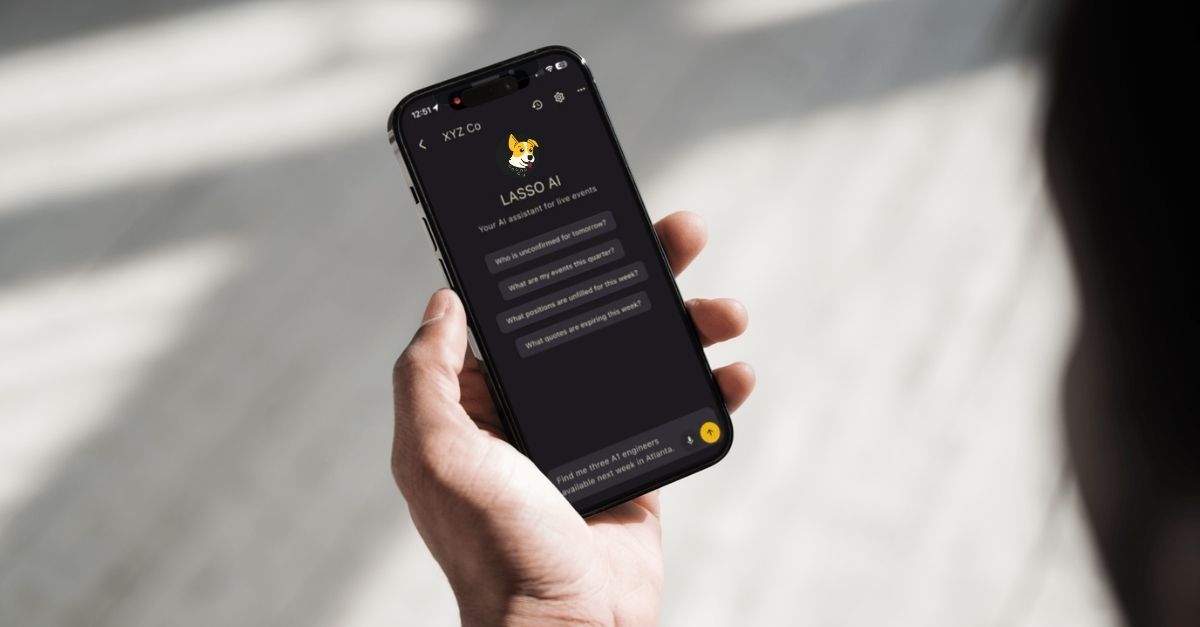
LASSO is built for event production companies running at multi-site scale. Inventory, asset management, crew scheduling, multi-site time tracking with geofenced clock-in, centralized travel coordination, and integrated payroll built for US labor law live in one platform — so the show on Saturday in Atlanta and the show on Saturday in Nashville aren’t running on different systems.
See how LASSO handles multi-site event operations end to end. Take a self-guided tour or talk to our team.